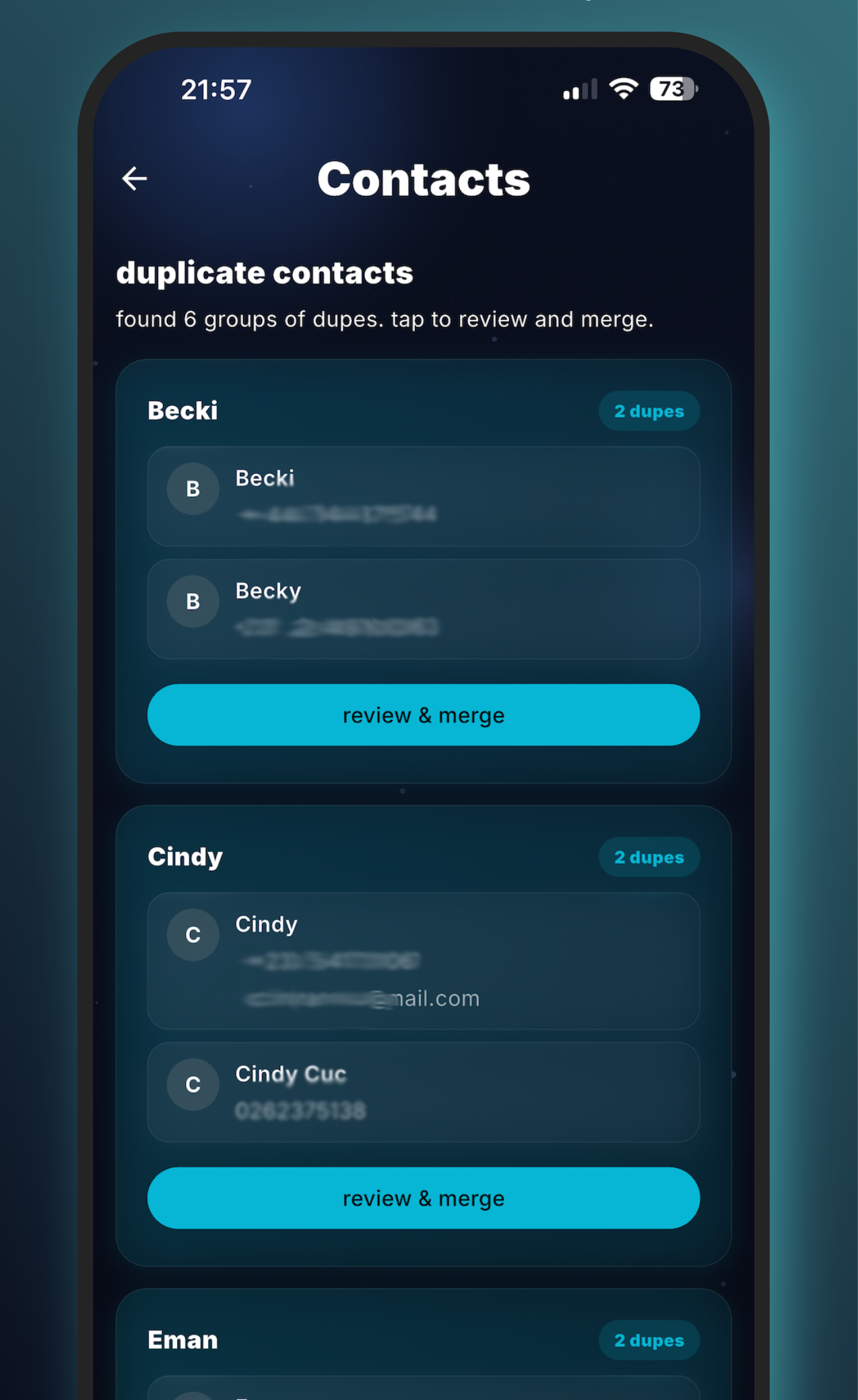
Why duplicate contacts happen
Every modern iPhone pulls contacts from multiple sources — iCloud, Google, Exchange, SIM, and whatever shared address books your apps care about. Each source normalizes names differently. iCloud keeps "Doe, Jane," Google keeps "Jane Doe," WhatsApp adds the country code in front of the number, and the result is that one real human ends up with three or four entries you'll eventually mis-text.
How the matching engine works
MemeScanr walks your contact list once and computes a signature for every entry: normalized phone number (US country code canonicalized), normalized email, name with punctuation and suffixes stripped, and a reversed "last-first / first-last" variant. The engine then scores pairs across these signatures.
- Exact phone match — strongest signal. Two contacts with the same normalized number are grouped automatically.
- Exact email match — strong signal. Same treatment.
- Levenshtein name distance ≤ 2 — catches typos like "Michael" vs "Micheal."
- Comma-flip — "Doe, Jane" matches "Jane Doe."
- Suffix strip — "Dr. Jane Doe Jr." collapses to "Jane Doe."
- Token reorder — catches middle-name reordering.
Matches are grouped with a Union-Find data structure with rank optimization — the same algorithm graph databases use for connected components. Every group represents one real person, so you get one merge review per person, not one per pair.
The merge flow
Every duplicate group opens as a preview card showing each contact's fields side by side. You pick which phone numbers, emails, birthdays, and addresses to keep. MemeScanr writes the merged contact back to iOS Contacts in a single transaction and deletes the duplicates. Nothing happens until you confirm. There is no auto-merge.
Contacts cleanup FAQ
How does MemeScanr detect duplicate contacts?
MemeScanr runs a multi-signal duplicate detection engine on your contacts: exact phone number match (with country code normalization), exact email match, Levenshtein distance on names (threshold 1–2 edits for typos), comma-flip detection ("Doe, Jane" vs "Jane Doe"), token reorder, whitespace normalization, and suffix stripping (Jr, Sr, III). Matches are then grouped with a Union-Find algorithm with rank optimization so one cluster represents one real person.
Does it upload my contacts?
No. Contacts cleanup runs entirely on-device via the iOS Contacts framework. Your contact list never leaves your iPhone. MemeScanr requests contacts permission the first time you open the feature and uses it locally.
Can I preview a merge before it happens?
Yes. Every duplicate group is shown as an expandable card that lets you see all fields from all matched contacts side by side. You pick which fields to keep, and the merge writes back to iOS Contacts in a single transaction.
What about contacts with the same name but different phone numbers?
If names match and phone/email do not, MemeScanr flags the pair as "possible duplicate" with low confidence rather than auto-grouping them. You decide whether to merge.
Is contacts cleanup free?
Yes. Contacts cleanup is on the MemeScanr free tier. It does not count against the 25-deletes-per-session photo cap.